Buying guide · Sources checked 22 October 2026
Oink for Influencers review & buying guide
Oink for Influencers is the Amazon Chrome extension within the wider Oink Suite. Its ongoing free tier includes useful cross-checking tools; Pro adds advanced automation and the other apps. This guide separates those tiers and shows the provider’s storefront-to-campaign workflow.
Affiliate links — we may earn a commission, at no extra cost to you.
What this review is based on
This is a desk-researched buying guide using the provider’s public pages and demonstrations. We have not used a signed-in account, tested paid features, measured earnings, or completed a checkout to test the discount. Product descriptions and images below are provider-supplied; suitability advice is our editorial assessment, not a hands-on test result.
The buying decision
Try the Free Creator Connections/storefront cross-check before paying: it is explicitly included, not locked entirely behind Pro. Pro makes more sense when you need scheduled automation, the faster batch check, wider messaging tools or the bundled apps. The yearly option costs less over a full year, but is an upfront commitment; start monthly if you have not established that these tasks are part of your routine. Do not subscribe to both Oink and Viral Vue without identifying which paid feature each contributes.
Pricing, free access & plan limits
| Plan | Published price (USD) | What is included | Limits / qualifications |
|---|---|---|---|
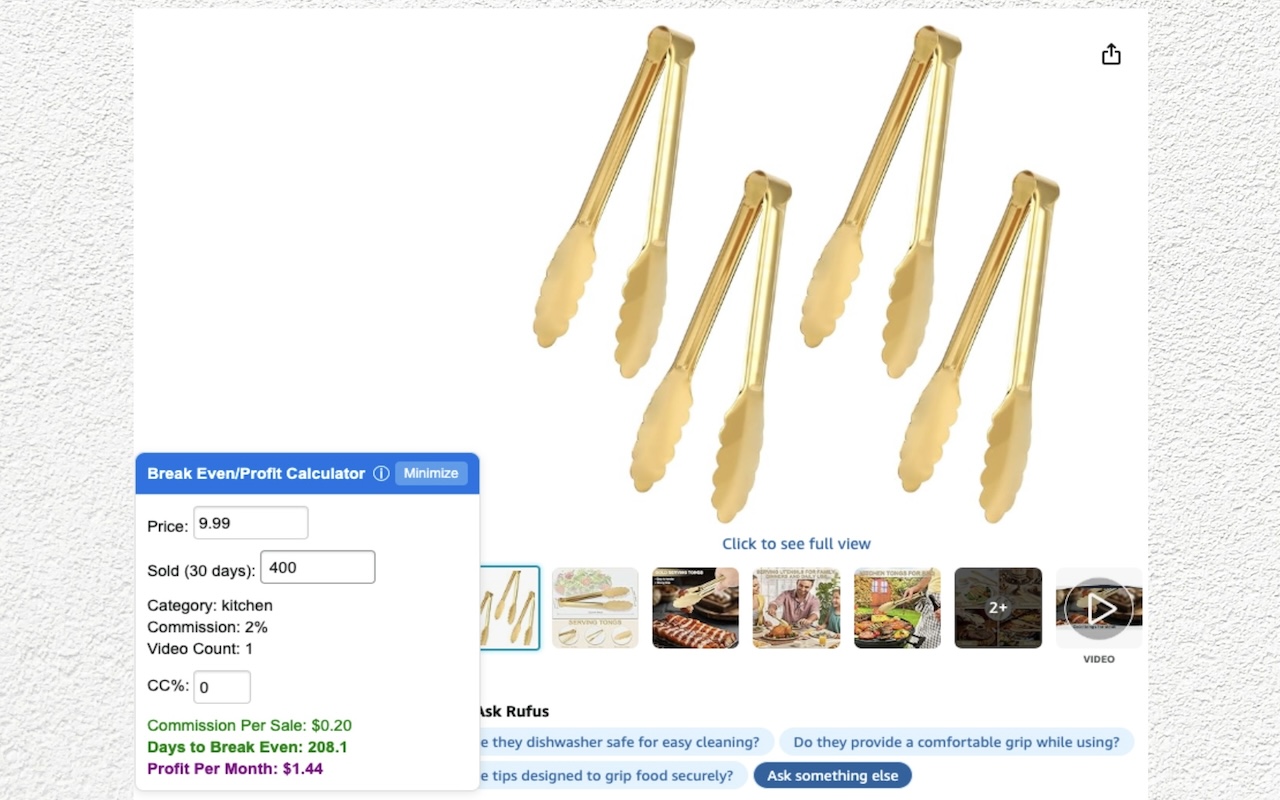
| Free | $0 / forever | Basic Creator Connections/storefront and order-history cross-checks, break-even/profit calculator, untagged-video check, quick editing, CSV earnings downloads and one media kit. | The extension table reserves Pro-speed batch checks, Campaign Monitor, scheduled automation and Copyright Audit for Pro. Single-campaign brand messaging is listed as unlimited on Free; this does not mean the whole Pro Messaging Center is included. |
| Pro Monthly | $29.99/month | The Oink Suite: Oink for Influencers Pro, Oink Blue for Trybe Pro, Pig Pin for Pinterest and Oink Creator Pro. Includes advanced extension tools, unlimited brand messaging at scale and the subscriber strategy group. | Pig Pin requires a Google Gemini subscription separately. Pro media kits: up to 10. Check platform and regional requirements for each app; the flagship Amazon tool is still a Chrome extension. |
| Pro Yearly | $249.99/year, paid annually | The same Pro suite, billed yearly. Around $20.83/month when spread over 12 months. | A yearly upfront payment, not a $20.83 monthly subscription. Twelve monthly payments would cost $359.88; yearly saves $109.89 at these prices (the provider rounds this to $110). |
| Other apps on Free | Included free tiers | Oink Blue lists its top 10 brands; Oink Creator on iPhone/Android lists two free templates. The extension lists one free media kit. | The detailed suite table marks Pig Pin as Pro-only, despite it appearing in the overview’s Free list. Treat the detailed table as the more specific guide and confirm access before relying on it. |
Provider-supplied USD prices, before any unconfirmed code or tax. One Pro subscription covers every Oink app, and the provider says cancel anytime; verify renewal, cancellation timing and refund terms before choosing yearly. Media kits are described as free with no credit card required, with one on Free and up to 10 on Pro. The suite now includes a mobile thumbnail app; that does not turn the Amazon Chrome extension into a mobile browser extension.
10% discount code: what is confirmed?
AIP Toolkit lists AIPTOOLKIT as a 10% discount code. The public provider pages we checked did not confirm its eligible plans, new-customer restrictions, duration, renewal treatment or expiry. We have not tested the code at checkout, so its current acceptance and conditions remain unverified. Copy it and check the displayed total before committing to a paid plan.
Before paying, check whether the code applies to your selected plan, billing period and account. Only proceed if the checkout shows the expected discount and an acceptable final total. Do not assume it covers renewals or combines with other offers.
Inside Oink for Influencers
Official provider images—not screenshots from our own account. Example figures are not promised results.
Task walkthrough: match existing storefront videos to Creator Connections
A practical workflow based on the provider’s published demonstration, not a task we completed in an account.
- 1
Install the extension and confirm your plan
Install the official Oink for Influencers Chrome extension. If you paid for Pro, enter the email used at subscription checkout in settings and save it; the provider warns that a different payment email can prevent validation. Basic cross-checking is listed on Free, while the faster batch mode is Pro.
- 2
Fetch your storefront content and wait
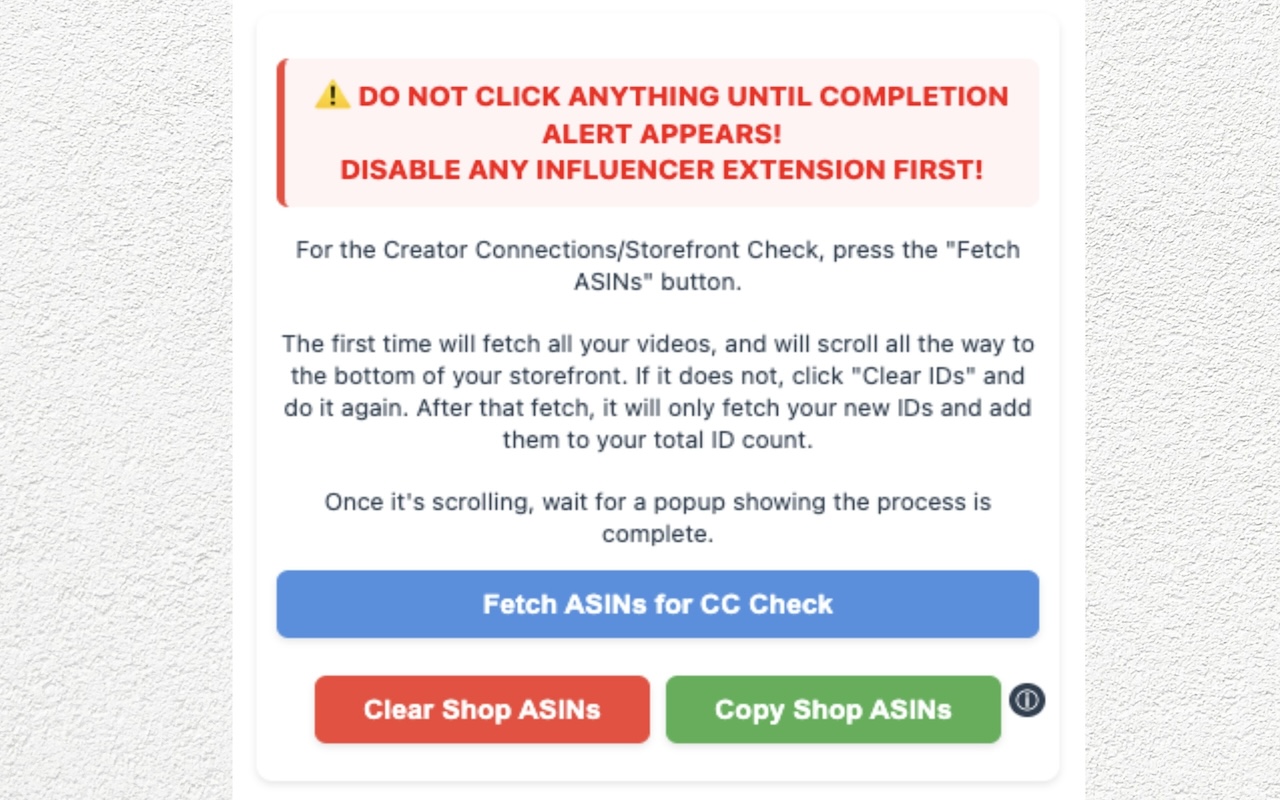
On your storefront, use the fetch control to gather its video/ASIN data. The listing screenshot calls it Fetch ASINs for CC Check and warns not to interrupt the process or run another influencer extension alongside it. Wait for the completion alert before using the fetched list.
- 3
Run the Creator Connections cross-check
Use the storefront cross-check to look for campaigns matching products in your existing videos. The provider describes automatic campaign acceptance when enabled. Review that setting and campaign conditions first; a match is an opportunity to inspect, not proof of extra commissions.
- 4
Read the results and verify the campaign in Amazon
When the check finishes, review the results, including any campaigns accepted on your behalf. Verify the ASIN, campaign dates, rate and content requirements in Creator Connections before assuming an upload qualifies. No real campaign was accepted during preparation of this guide.
- 5
Keep data current and back it up
The provider recommends a fresh storefront fetch about once a week and describes backup files in My Oink Data. Refreshing keeps later cross-checks tied to current content. Its Order History Content Gap workflow is a separate next step for finding owned products you have not yet filmed.
This is a provider-documented task, not a hands-on run. Automation may take actions in your account; review settings and Amazon’s current campaign rules before enabling it. We have not measured scan speed, match accuracy, commission gains or compatibility with other extensions.
Consider it if…
- Your regular workload includes checking existing videos against Creator Connections; Free already lets you assess that workflow.
- You need the advanced automation or Pro batch-checking tools often enough to justify the subscription.
- You will use several suite apps and have accounted for Pig Pin’s separate Gemini requirement.
Hold off if…
- The basic cross-check, calculator and editing tools meet your needs; those are listed on Free.
- You only work in a mobile browser and need the flagship Amazon extension there; the separate Creator app is for thumbnails and video tools.
- You expect automatic campaign matches or a profit calculator to guarantee payment, or cannot justify the yearly upfront cost.
Questions before subscribing
What can you actually do with Oink Free?
The detailed extension table includes basic storefront and order-history Creator Connections checks, the break-even/profit calculator, untagged-video checks, quick edits, CSV earnings downloads and one media kit. Pro adds faster batch checks and advanced tools; Free is not just a trial.
How much is Oink Pro?
The provider lists $29.99 monthly or $249.99 yearly for the Oink Suite. Annual billing is paid upfront and is about $20.83 per month when averaged over a year. At these prices it saves $109.89 compared with 12 monthly payments, which the provider rounds to $110.
Does Oink Pro include all apps with no extra costs?
One subscription unlocks the Oink Pro apps, but Pig Pin also requires a Google Gemini subscription. Pro media kits are limited to 10. Check the detailed plan table and each app’s requirements rather than assuming every service cost is included.
Does AIPTOOLKIT work on Oink yearly plans and renewals?
AIP Toolkit lists it as a 10% code, but eligible billing periods, renewal coverage, duration, expiry and current acceptance were not confirmed in public provider material or tested at checkout. Confirm the code is accepted and the final total is correct before paying.
Has AIP Toolkit tested Oink’s cross-check or earnings claims?
Not for this guide. The task is adapted from official onboarding instructions and illustrated with provider screenshots. We have not run it in an account, accepted campaigns, verified matching accuracy or measured earnings.
Sources & verification notes
Public pages checked 22 October 2026. Provider information may change after this date.
- Oink Suite: pricing and detailed Free vs Pro tables
Free $0, Pro $29.99/month or $249.99/year, included apps, basic versus batch cross-checking, messaging distinctions, template limits, Gemini requirement and the conflicting Pig Pin overview/table.
- Oink onboarding walkthrough for new members
Subscription email validation, backups, storefront Creator Connections checks, order-history content gaps and weekly fresh fetching. Its earning claims are the provider’s, not our findings.
- Oink for Influencers: official Chrome Web Store listing
Official extension identity, capabilities and the two genuine screenshots reproduced above. Listing images are examples and may not reflect every current control.
- Oink official site
Media-kit availability: one free and up to 10 on Pro. No public confirmation of AIPTOOLKIT eligibility, duration or renewal terms was found.
How it compares
Oink Pro is $29.99/month or $249.99/year for its suite. Viral Vue Starter is $39/month for Product Vue and scanning; Professional is $79/month for its wider campaign toolkit. Both overlap on product research and Creator Connections. Compare the actual task you need, rather than assuming you need two subscriptions.
Read our Viral Vue review