How to build your own creator website in an afternoon
Your Amazon storefront and social accounts are rented space. A website of your own gives your videos and recommendations a permanent home that no algorithm can take away. You do not need to hire a developer or learn to code — this guide shows you how to get a first version live in an afternoon with Lovable.
 Lovable
Why we recommend Lovable
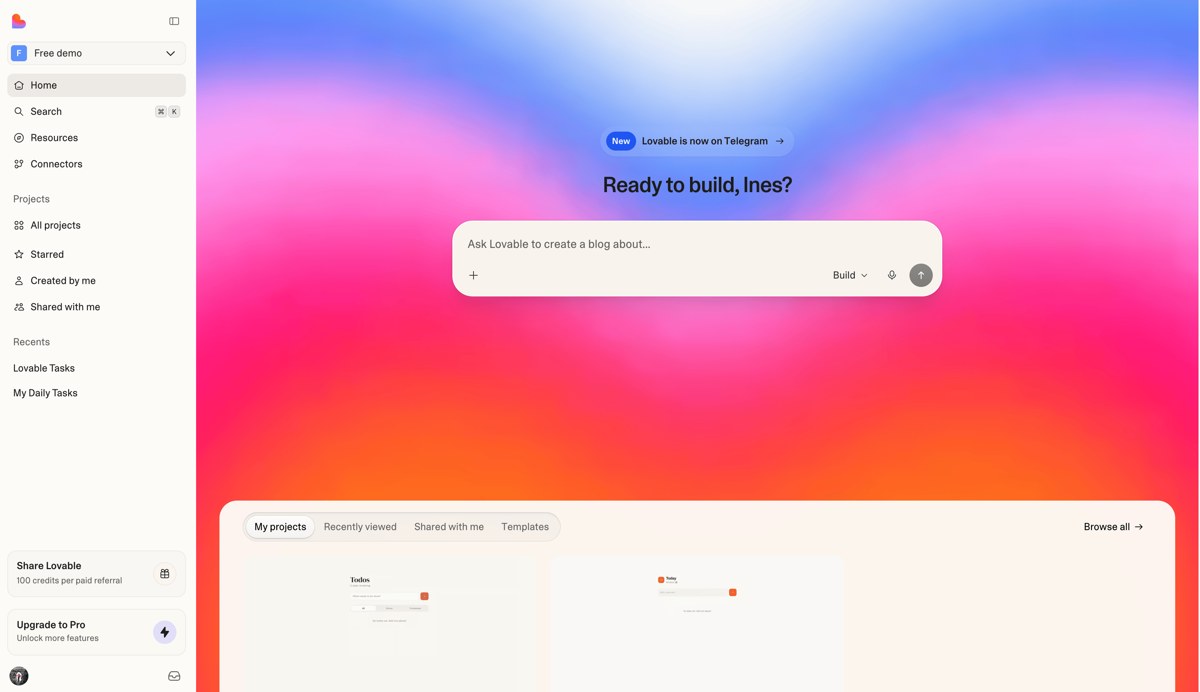
You can start with an idea in ordinary words, then see it become a website and refine it through conversation. For creators, that makes a product gallery, media kit or home for your photos and videos feel much more approachable.
AIP Toolkit itself was built with Lovable. Start small, use your own content, and check the result carefully before sharing it — especially links, disclosures and contact forms.
Why creators need their own website
Quick takeaway: your website is the one place online you fully control.
You own it
Social platforms can change their rules or reach overnight. Your own website stays yours, so the work you put into it keeps paying off.
One home for all your videos
Your TikToks, Shorts and Amazon reviews can all live in one place, grouped by product or topic, with your affiliate links next to them.
It looks professional to brands
A clean website with your niche, audience and past work makes it easier for brands to say yes to a collaboration.
Google can find you
Helpful product pages and guides can bring in visitors from search, not just from your social feeds.
What you could build
Favourite finds gallery
A page of the products you love, grouped by room or category, with your video and affiliate link for each.
Media kit
Who you are, your niche, your platforms and example videos, plus a simple contact form for brands.
Niche review site
Short, honest reviews in one niche — kitchen, beauty, pets — that people can find on Google.
Link-in-bio hub
A branded page you control instead of a third-party link-in-bio service.
Build it with Lovable, step by step
Quick takeaway: describe it, check the preview, ask for changes, publish.
1. Decide on one simple goal
Pick one idea from the list above. A focused first version is quicker to build and easier to improve later.
2. Describe it in plain English
In Lovable you type what you want, for example: "A website for my Amazon finds, with a page for kitchen products, a page for home products and a contact form for brands."
3. Look at the preview and ask for changes
Lovable builds a first version you can see straight away. Ask for changes the same way: "make the headings bigger" or "add a page about me".
4. Add your own content
Add your photos, videos and affiliate links. Always label affiliate links clearly, as Amazon and the FTC require.
5. Publish it
Publish when you are happy with it. You can connect your own domain name if you want a more professional address.
AIP Toolkit itself was built with Lovable.
Get 10 extra Lovable credits
Sign up through our link and you get 10 extra credits to start building.
Referral link — AIP Toolkit may receive Lovable credits if you later subscribe to a paid plan.
Build with Lovable and get 10 extra creditsRegister everywhere you share Amazon affiliate links
Add your website and every eligible social profile or other permitted place where you post Amazon affiliate links outside Amazon to your Associates account’s Site list. Use each profile’s full address, not just “Instagram” or the platform’s homepage. Listing a location does not override Amazon’s rules about which locations are permitted.
Where to find it: Associates Central → Account Settings → Edit your website, mobile app, and Alexa skill list. Amazon’s help also calls it “Edit your website list”; the label may vary by account or marketplace.
Our recommendation: check this at least once every month and whenever you add a site or change a profile address. Make sure no entries have been removed or altered and that all addresses remain correct. Keeping the list current is essential for compliance; a monthly check is our suggested routine, not a stated Amazon deadline.
Read Amazon’s Site-list instructions and accepted website and social-profile guidance.
Staying compliant is your responsibility
- Keep every listed site public. Any social profile, web page or site where you share Amazon links must be open and viewable by anyone — not a private Facebook group, a private profile or content hidden behind a follow.
- Read Creator University regularly. We highly recommend checking Amazon's Creator University documents often, as Amazon keeps its criteria, rules and recommendations up to date there.
- Read Amazon's terms in full before you post anything. The Operating Agreement and Program Policies apply to every Amazon Influencer and Associate. They cover what you post, where you post it and how you may use Amazon's intellectual property, such as logos and images.
Our guides are a starting point only. You must read and follow Amazon's own terms before producing content for the Amazon Influencer or Associates programs.
Questions
Do I need to know how to code?
No. You describe what you want in everyday language and Lovable builds it. You can keep asking for changes until it looks right.
How much does Lovable cost?
Lovable has a free plan and paid plans. Plans and credit allowances change, so check Lovable's current pricing page before you subscribe.
Can I put Amazon affiliate links on my own website?
Yes, your own website is one of the places Amazon Associates links are commonly used. Follow Amazon's current Associates rules and disclose affiliate links clearly.
Got videos to fill it with? Read our free repurposing guide.
Want Amazon product information on your site? Read our Amazon API setup guide for creators first — access has its own eligibility requirements.